Her looks#
Ask her#
She can redesign herself at any time, just by being asked: new hair colour, a witch hat, glasses, a different outfit. Her look is a set of values, and every change is checked field by field before it is drawn, so a mistake never breaks her.
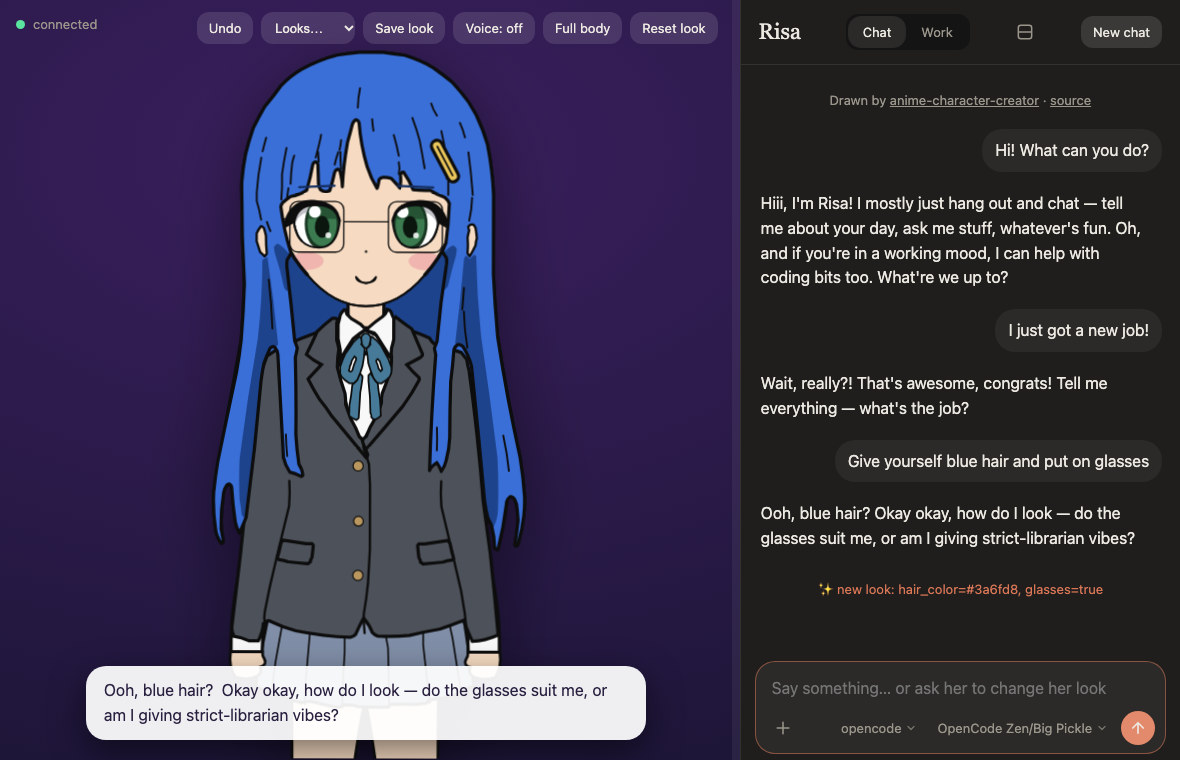
A line in the chat ("new look: hair_color=#3a6fd8, glasses=true") says what changed. When she cannot do what you asked, she is told why on her next turn.
Undo, save, load#
- Undo steps back through her recent changes.
- Save look stores the current look under a name. The Looks menu loads one. She can load a saved look herself when you ask.
- Saved looks are plain files in
data/looks/. Delete a file to delete a look. - Reset look restores the character you started with. The conversation stays, and she is told about the change.
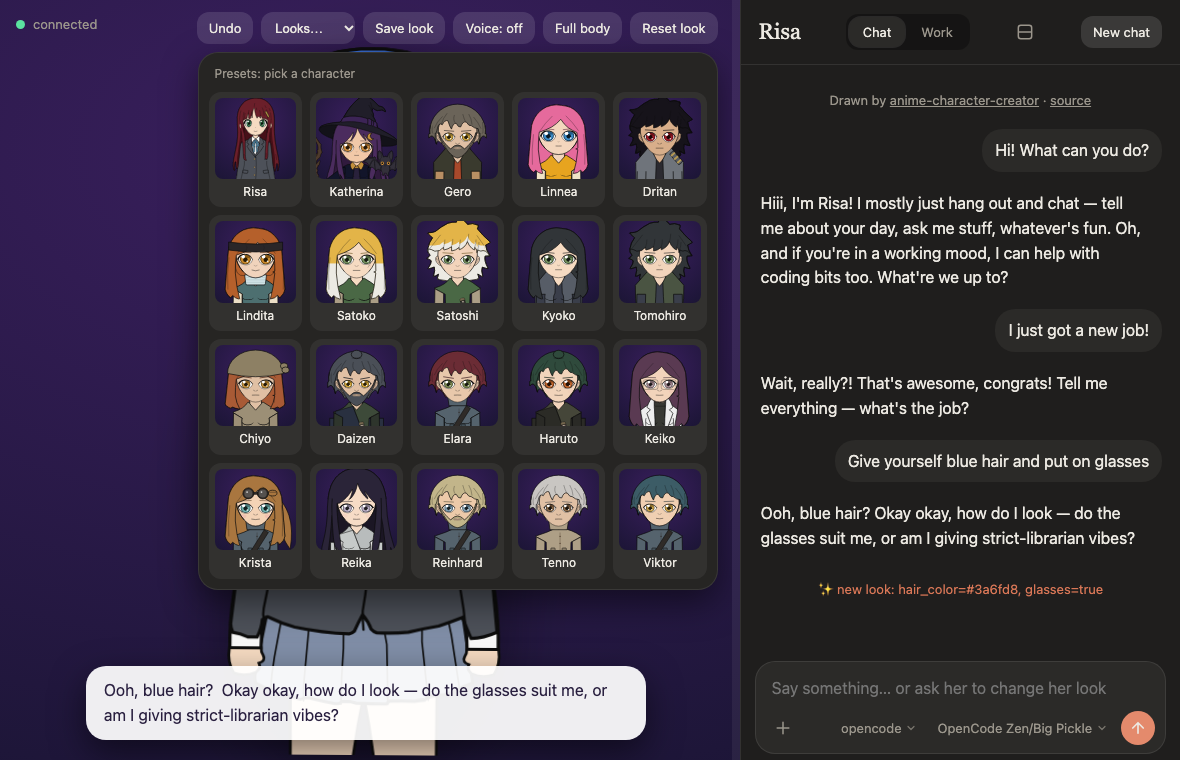
Presets: 19 characters#
Looks → Presets… opens a gallery with a preview of each built-in character, and the first one is the one the
app starts with (Risa, unless you set COMPANION_PRESET). Picking one replaces her whole look; Undo brings the old
one back. The characters come from anime-character-creator.
Picture packs#
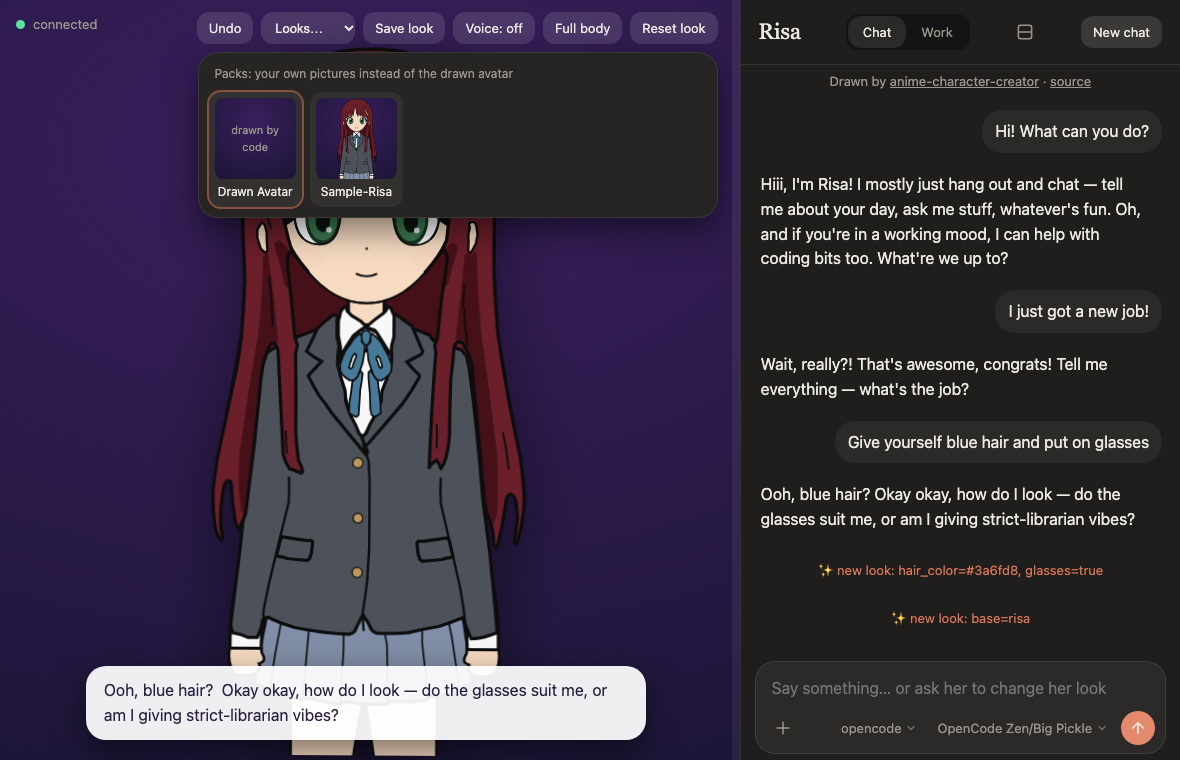
Looks → Packs… shows each set of your own pictures next to the drawn character, grouped by character: one with several outfits is a tile that opens a row of them. A pack that is not installed yet shows its preview and Download; the page asks first and says the size and which server is contacted. While a pack is on, she knows what the pictures show, and she can change into another outfit of her character herself when you ask. A row of buttons above the gallery (swimming, tennis, dancing and so on) narrows it to the packs, installed or not, that have a loop for that activity. See Picture packs.
Beside the chat, behind it, or full screen#
On a wide screen she stands beside the chat, with a vertical line between them to drag. On a phone she is above the chat, with a bar to drag up or down (double-click or double-tap resets it). The button in the chat's header puts her behind the chat: the chat takes the whole page and she shows through it. Dragging the line or bar past the smallest she gets does the same. The Full body button switches the drawn character between a close-up and a full-length view. The choices are remembered in the browser.
Show everything she can do#
/show plays each emotion for a second, names it, then a blink, talking, and both gestures. It is played by the page
itself, so it costs nothing and works with any brain.
Made with AI coding agents, mostly Claude Code. This documentation was written by Claude Code. Details